Topic Summary
Confirm Your Emirates ID Is Still Valid
The digital version mirrors your physical card exactly, so an expired card cannot be activated digitally. If your card lapses within 30 days, complete activation immediately to avoid waiting for a physical renewal first.
Gather the Right Details Before You Start
You'll need your 15-digit Emirates ID number, card expiry date, a UAE mobile number registered in your name, and an active email address. Having these ready prevents interruptions during the setup process.
Download UAE Pass or ICP Smart Services App
Both apps are free and available on iOS and Android. UAE Pass is the primary route most residents use for digital ID access and broader government portal authentication.
Verify Identity Using Your Registered Mobile Number
An OTP is sent to your UAE-registered mobile number during account creation, so the number must be active and in your name. This step confirms the digital ID is linked to the correct legal identity.
Use the Digital ID Across Government and Banking Portals
Portals including DHA, MoHRE, and DET accept digital ID verification via UAE Pass, and banks can complete remote KYC checks without a branch visit. This is especially practical for business owners managing multiple government touchpoints at once.
Know Where the Physical Card Is Still Required
The digital version carries full legal recognition for most government and banking transactions, but border crossings and certain regulated security checks still require the physical card. Keep the physical card accessible for those specific situations.
Getting the digital version of your Emirates ID takes under five minutes and costs nothing. In 2026, over 9.5 million UAE residents hold an active Emirates ID (ICP, 2026), yet a significant share have never activated the digital copy, leaving themselves exposed during routine government and banking interactions where carrying the physical card simply isn't practical. The digital Emirates ID carries full legal recognition for most government portal transactions, bank KYC checks, and identity verification across the UAE. This guide covers exactly what the digital ID is, what you need to access it, what the process looks like step by step, and how to fix the most common problems along the way.
What Is the Digital Version of Your Emirates ID and Why It Matters
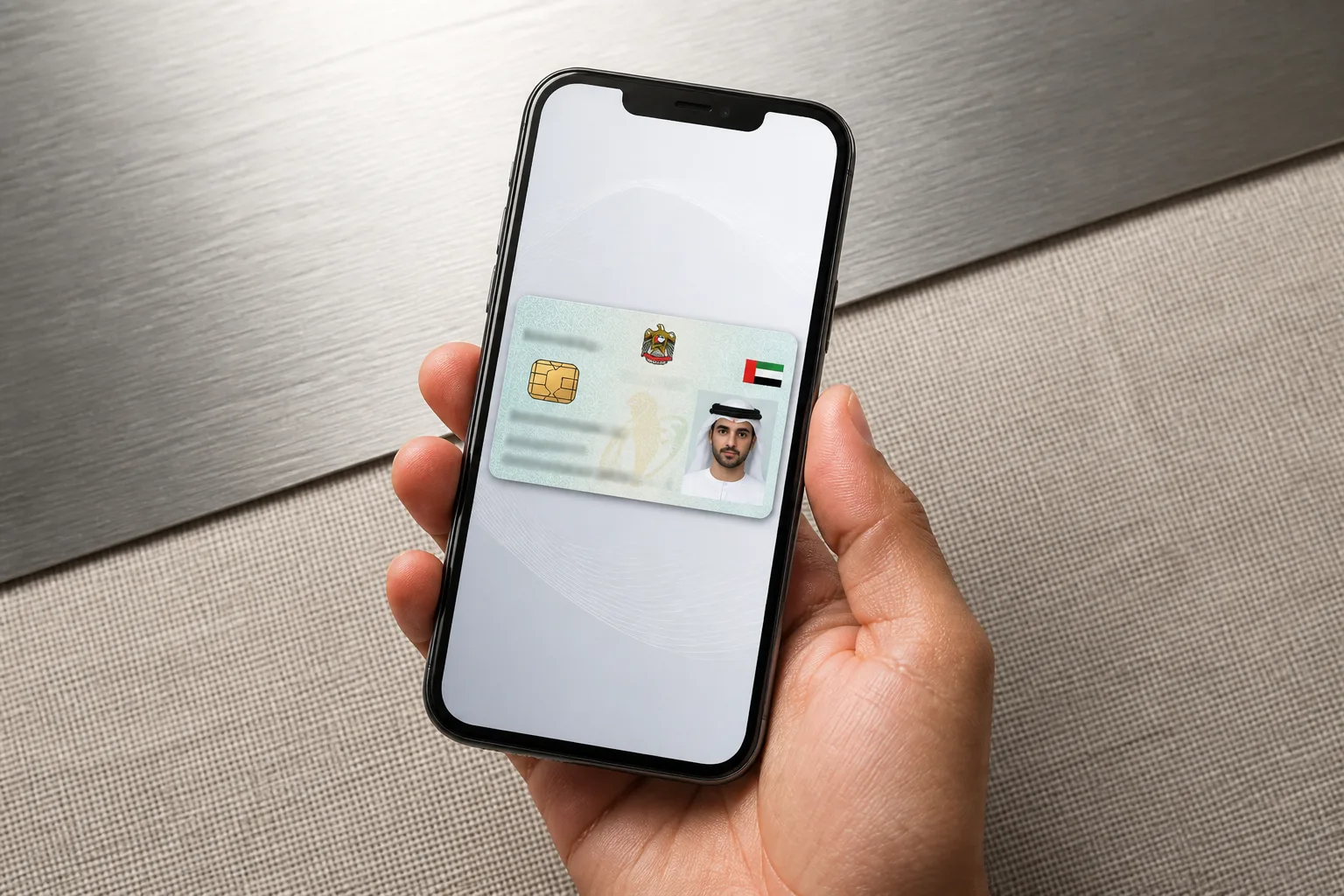
The digital version of your Emirates ID is an officially recognised electronic copy of your physical card, issued by the ICP and accessible through the UAE Pass app or ICP Smart Services portal. It carries the same legal weight as the physical card for most government, banking, and verification transactions across the UAE.
The Official Definition and Legal Standing
The digital Emirates ID is issued by ICP, the Federal Authority for Identity, Citizenship, Customs and Ports Security, which is the sole authority responsible for all Emirates ID issuance across the UAE (ICP, 2026). The digital copy is legally equivalent to the physical card for most interactions, including government portal access, bank KYC checks, and notary services.
Here's what the digital version actually contains:
Your full name, Emirates ID number, and card expiry date
Your photograph, matching the physical card
An encrypted QR code that verifies authenticity in real time when scanned
Worth flagging: the digital version does not fully replace the physical card in every situation. Border crossings and certain regulated security checks still require the physical card. But for the vast majority of daily government and banking transactions, the digital copy is fully accepted.
A Dubai resident opening a bank account can present the digital ID through UAE Pass for remote KYC verification without visiting a branch at all.
Why Getting the Digital Version in Dubai Makes Practical Sense
Physical cards get lost, damaged, or left at home. The digital version lives on your phone.
Government portals including DHA, MoHRE, and DET accept digital ID verification via UAE Pass (UAE Government Portal, 2026)
Reduces reliance on physical document handling during UAE residency visa renewals and PRO transactions
Particularly useful for business owners managing multiple government touchpoints at once
A sole founder handling their own government paperwork can authenticate identity across DHA, MoHRE, and DET portals in a single session using UAE Pass, without carrying a single physical document. That's a real time saving when you're managing compliance on your own.
Requirements for Getting the Digital Version of Your Emirates ID
To access the digital version of your Emirates ID, you need a valid, unexpired physical Emirates ID, a UAE mobile number registered in your name, and either the UAE Pass app or the ICP Smart Services app installed on your smartphone. Your Emirates ID number and card expiry date are required during setup.
Documents and Account Prerequisites
A valid, unexpired Emirates ID. The digital version mirrors the physical card exactly, so a lapsed card cannot be activated digitally.
A UAE mobile number registered in your name, used for OTP verification during account creation
An active email address for UAE Pass account registration
Your 15-digit Emirates ID number and card expiry date on hand during setup
If your Emirates ID expires in 30 days, complete the digital activation now. Once the card lapses, you'll need to renew the physical card through ICP before the digital version becomes accessible again.
Device and App Requirements
UAE Pass is available on iOS (App Store) and Android (Google Play). Both platforms are fully supported.
ICP Smart Services app is the alternative channel, also free on both platforms
A smartphone with a functioning camera is required for the facial recognition liveness check during UAE Pass identity verification
A stable internet connection is required throughout. The process cannot be completed offline.
Android users who can't access Google Play can download the ICP Smart Services APK directly from the ICP website, though the UAE Pass route is generally faster and gives you broader access to other government services once your account is active.
UAE Pass vs ICP Smart Services App: Digital Emirates ID Access Compared
Feature | UAE Pass | ICP Smart Services App |
|---|---|---|
Platform availability (iOS and Android) | Yes, App Store and Google Play | Yes, App Store and Google Play; APK also available from icp.gov.ae |
Facial recognition liveness check required | Yes, required during initial registration | No, login via Emirates ID number and mobile OTP |
Real-time QR code for verification | Yes, dynamically generated, verifiable in real time | No, digital ID available as a static PDF download |
Access to other government services | Yes, single sign-on across DHA, MoHRE, DET and more | Limited, primarily ICP-related services only |
PDF download option | No, digital card displayed in-app wallet only | Yes, downloadable PDF from My Profile section |
Free to use | Yes, AED 0 | Yes, AED 0 |
Step-by-Step Guide to Getting the Digital Version in Dubai
Getting the digital version of your Emirates ID in Dubai involves five steps: download UAE Pass, register with your Emirates ID details and mobile number, complete the facial recognition verification, locate your Emirates ID card in the app wallet, and save or share the digital copy as needed. The process takes under five minutes.
Step 1: Download and Set Up UAE Pass
Search "UAE Pass" on the App Store or Google Play. The publisher is listed as UAE Pass, install only the official app.
Tap "Register" and enter your Emirates ID number, date of birth, and UAE mobile number.
An OTP is sent to your registered mobile, typically within 60 seconds. Enter it to proceed.
Create a secure six-digit PIN. You'll use this for all future logins.
Keep your Emirates ID card physically nearby during this step. You'll need the 15-digit ID number and the card expiry date exactly as printed.
Step 2: Complete Identity Verification
After setting your PIN, UAE Pass prompts a liveness check. Hold your phone at eye level and follow the on-screen face-scan instructions.
The app cross-references your face against biometric records held by ICP and linked to your Emirates ID. That biometric data stays with ICP; it's not stored on your device.
Verification typically completes within 30 seconds. Poor lighting or tinted glasses can cause a retry.
Once verified, your UAE Pass account activates at the "Basic" level. Emirates ID card access is available immediately.
If the liveness check fails twice, move to a well-lit area and remove any glasses. The camera needs a clear, unobstructed view of your face. Natural light facing you works best.
Step 3: Access and Save Your Digital Emirates ID
Inside UAE Pass, tap the "Wallet" or "My Cards" section. Your Emirates ID appears automatically once verification is complete.
Tap the card to expand the full digital ID, which includes your photo, ID number, expiry date, and a live QR code dynamically generated for real-time verification.
You can share the card digitally for government transactions or screenshot it for quick reference. The QR code is the authentication element that officials scan to confirm authenticity.
Prefer a PDF? Use ICP Smart Services instead: log in with your Emirates ID number and mobile OTP, navigate to "My Profile", and download the digital ID as a PDF.
Cost of Getting the Digital Version of Your Emirates ID
Accessing the digital version of your Emirates ID through UAE Pass or the ICP Smart Services app is free of charge. There are no fees for downloading, registering, or viewing your digital ID. Fees only apply if you need to renew or replace your physical Emirates ID card through ICP.
What You Pay and What You Don't
UAE Pass app download and registration: AED 0
ICP Smart Services app download and digital ID access: AED 0
Viewing, sharing, or presenting your digital Emirates ID: AED 0
Physical Emirates ID renewal (if your card has expired): a separate paid transaction with ICP. The digital version cannot be accessed on an expired card.
The digital access itself will never cost you anything. The only time money enters the picture is if your physical card needs renewal first.
When Costs Do Apply During Residency Processes
If your Emirates ID is tied to a UAE residency visa, the visa renewal and the card renewal are two separate ICP transactions with separate fees. They're related, but they're not the same thing.
Business owners holding a residency visa issued through a free zone license pay visa renewal costs to their free zone authority. Those are always additional costs, separate from both the license fee and the digital ID access. A sole founder whose residency visa was issued through a free zone company will pay the free zone's visa fee when renewing; the digital Emirates ID access itself remains AED 0 regardless of that process. If you need UAE residency visa support alongside your company setup, those services are handled separately from digital ID activation.
Typing centre or PRO service fees may apply if you use a third-party agent to manage renewal paperwork, but again, those fees relate to the physical renewal process, not to accessing the digital ID.
Common Problems When Getting the Digital Version and How to Fix Them
The most common issues when getting the digital version of your Emirates ID are a failed liveness check due to poor lighting, an OTP not arriving because the mobile number on ICP records is outdated, and an expired Emirates ID blocking digital access. Each has a straightforward fix before you retry.
Liveness Check and Verification Failures
Use strong, even lighting. Avoid sitting with a window directly behind you, backlight confuses the camera.
Remove sunglasses, heavy-framed glasses, or face coverings before the scan.
If the app fails three times, wait 24 hours before retrying. ICP applies a short cooldown after repeated failures.
As a fallback, visit any ICP service centre across all seven emirates with your physical Emirates ID for manual verification and digital ID activation.
In practice, residents who repeatedly fail the liveness check at home often complete it successfully at an ICP kiosk at a government service centre. The kiosk cameras are calibrated specifically for the verification algorithm and handle a wider range of lighting conditions than a standard smartphone front camera.
OTP and Account Access Issues
OTP not received: check that your UAE mobile number is correctly registered with ICP. A mismatch between your SIM and ICP records is the most common cause.
To update your mobile number on ICP records: visit an ICP service centre in person, or use the ICP Smart Services website with an existing verified login.
Locked UAE Pass accounts can be reset through the in-app support chat.
Expired Emirates ID: renew the physical card through ICP first. The digital version becomes accessible again once the new card is issued.
Is the digital Emirates ID accepted everywhere in the UAE?
The digital Emirates ID is accepted for most government portal transactions, bank KYC checks, and identity verification across the UAE. It is not accepted for border crossings or certain regulated security checks, where the physical card remains mandatory. Always carry the physical card when travelling internationally or entering controlled facilities.
How the Digital Emirates ID Connects to Your Business and Banking in the UAE
The digital Emirates ID is increasingly the default verification tool for UAE business and banking transactions. It authenticates your identity on government portals, supports remote bank KYC processes, and speeds up free zone and mainland government submissions, reducing paperwork delays for founders and residents managing their own corporate compliance.
Using the Digital ID for Bank Account Opening
UAE banks increasingly accept the digital Emirates ID via UAE Pass for remote or in-app KYC. This is particularly relevant for bank account opening in the UAE as part of a new company setup. The QR code on the digital ID gives compliance officers a real-time authenticity check, cutting manual document processing time considerably.
Remote KYC is accepted by major UAE banks via UAE Pass integration
Some banks still require both digital and physical ID at the first in-branch visit, carry the physical card for that initial appointment
Founders can present the digital ID during bank onboarding alongside their trade license and Memorandum of Association
References
Frequently Asked Questions